Features
Model Selector
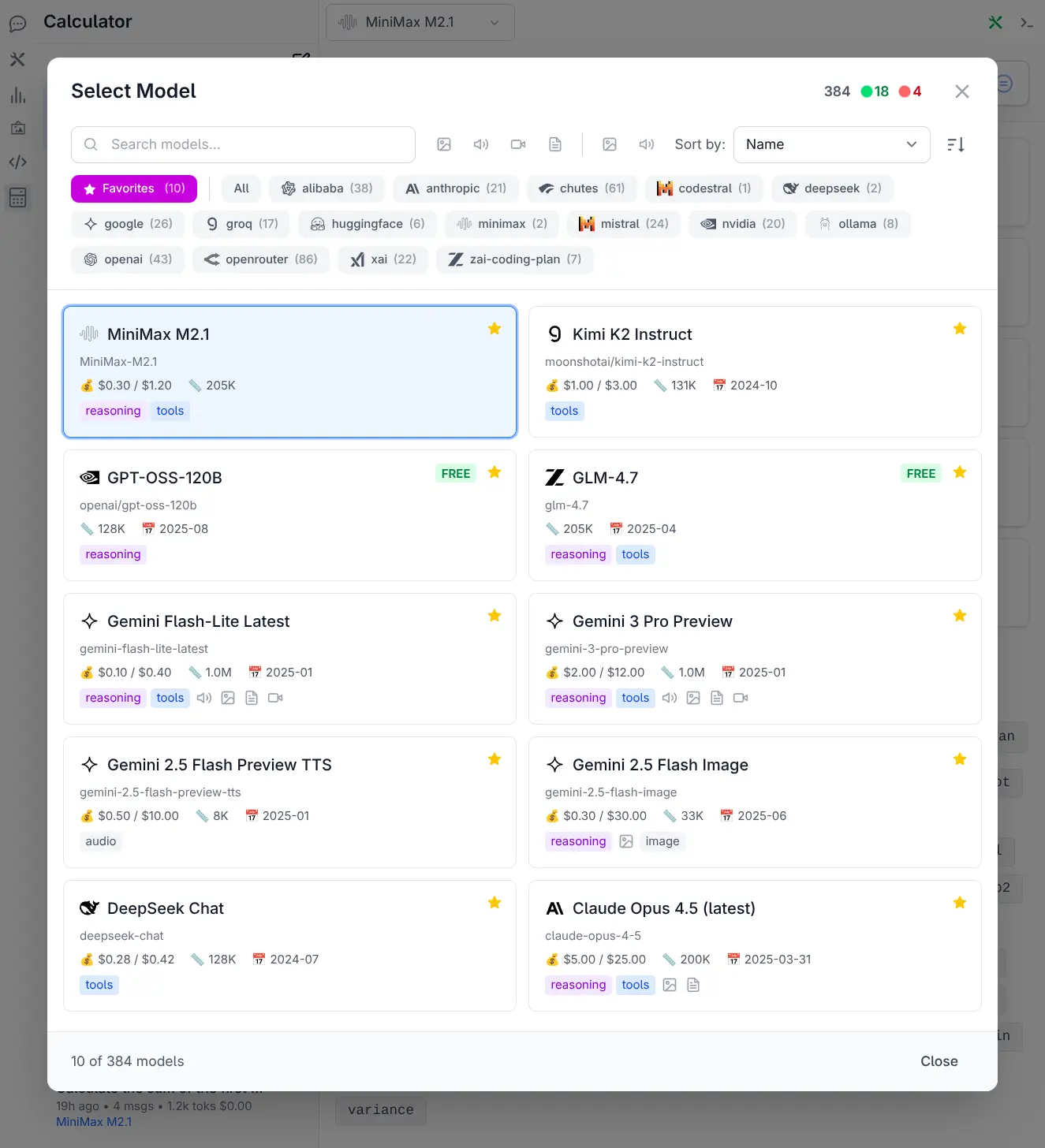
Advanced model discovery with full-text search, filtering by provider and modality, flexible sorting, favorites management, and rich model cards displaying pricing, capabilities, and specifications.
Open the Model Selector by clicking the model chip at the top of the chat prompt; hovering the chip shows the current model's pricing, limits and capabilities.
🔍 Smart Search & Discovery
- Full-text Search: Instantly search across model names, IDs, and providers
- Real-time Filtering: Results update as you type with no lag
- Model Count Display: See how many models match your current filters
🎯 Advanced Filtering
- Provider Filtering: Click any provider to show only their models, with model counts displayed for each
- Modality Filtering: Filter by input/output capabilities (text, image, audio, video, PDF)
- Favorites Tab: Quick access to your most-used models with a dedicated favorites view
- Unavailable Favorites: Gracefully handles favorited models whose providers are disabled
📊 Flexible Sorting
Sort models by multiple criteria with ascending/descending toggle:
- Knowledge Cutoff: Find models with the most recent training data
- Release Date: Discover the newest models
- Last Updated: See which models are actively maintained
- Cost: Sort by input or output token pricing
- Context Window: Find models with the largest context limits
- Name: Classic alphabetical sorting
⭐ Favorites System
- One-Click Favoriting: Star icon on each model card
- Persistent Storage: Favorites saved to localStorage
- Smart Defaults: Favorites tab shown by default when you have favorites
- Easy Management: Remove favorites from any view
💎 Rich Model Cards
Each model displays comprehensive information at a glance:
- Provider Icon: Visual identification of the model's provider
- Cost Information: Input/output pricing per 1M tokens with "FREE" badge for free models
- Context Limits: Maximum context window and output token limits
- Knowledge Cutoff: Training data recency
- Capabilities: Visual badges for reasoning and tool calling support
- Modality Icons: Input/output support for image, audio, video, and PDF
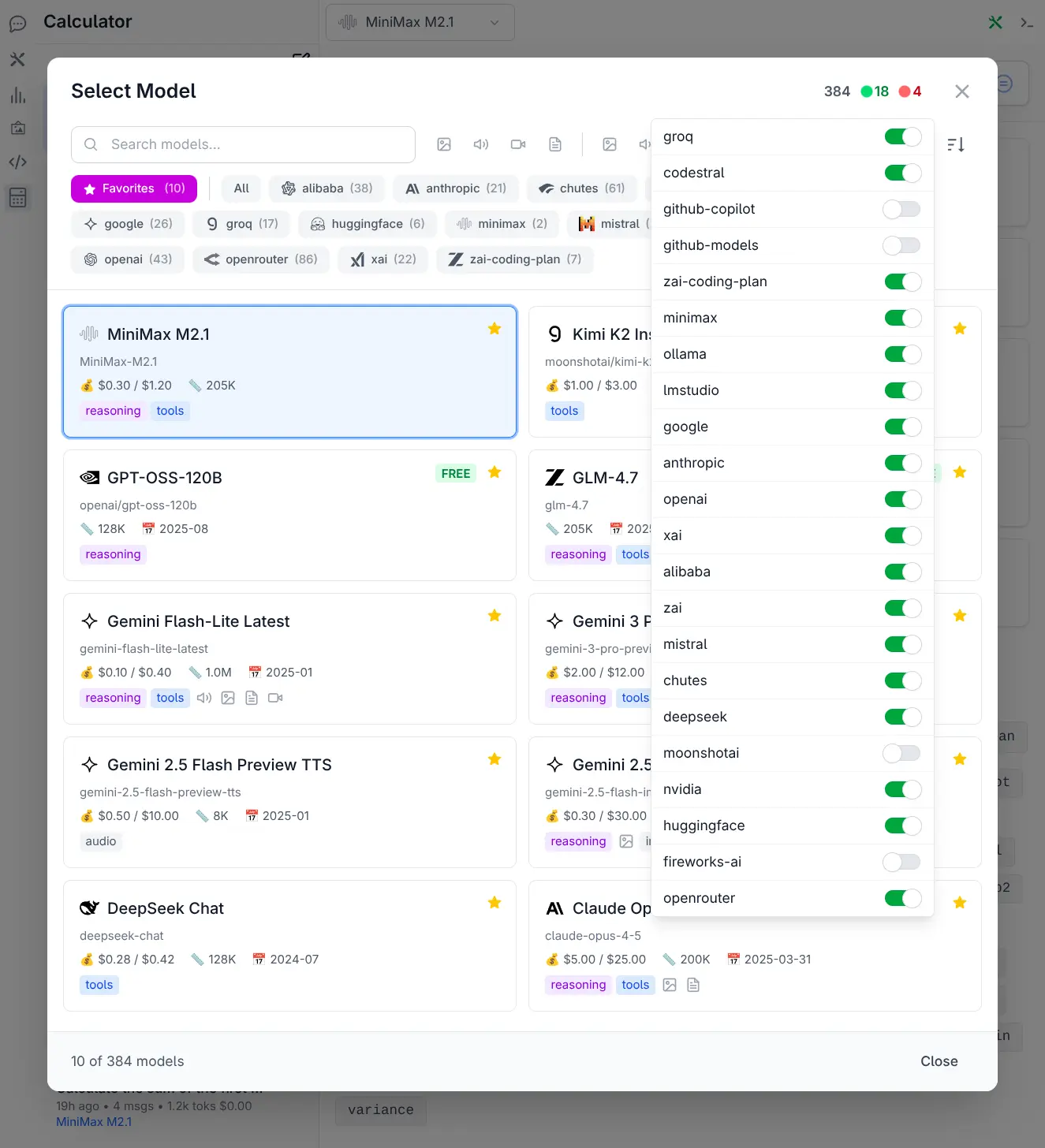
Enable / Disable Providers
Quickly enable or disable AI providers to customize which models are available in your model selector.