Chat UI
A built-in chat interface for interactive conversations with your LLM agents, supporting rich media
🗂️ Chats & Projects
The sidebar groups your chats into project folders. Each folder shows its five
most recent chats and Show more loads more on demand, while chats without a project are kept under
Recents. Hover a chat to see when it was last active, its model, messages, tokens and cost, or to
delete it. Hover a folder to start a new chat in it, or open its … menu to edit or hide the project.
💬 The Prompt
The prompt floats above the conversation and grows as you type (Enter sends, Shift+Enter adds a new line). Its top row shows the chat's project, agent profile and model, each one click away:
Attach files with +, paste them, or drop images, audio and documents anywhere on the chat. Images show as thumbnails in the prompt, and any attachment can be removed before sending.
Drafts
Every chat keeps its own draft: switch between chats and your unsent text, attachments and edits are exactly where you left them, even after reloading the page. Unsent new chats show in the sidebar with a Draft badge. Drafts are stored in your browser and are never sent to the server until you send them. Files that were still uploading when the page reloaded need to be attached again.
Chat Titles
A new chat is titled from the start of its first message straight away, then gets a short generated title
shortly after. Generating it never slows down the response, and a chat you've renamed keeps your title.
Titles use the defaults.summarize request in llms.json. Its default model, openai/gpt-oss-120b, is
used when one of your providers offers it (e.g. Groq or OpenRouter). Point it at any configured model
(including a local one), or set it to null to keep the first-message titles:
"defaults": {
    "summarize": {
        "model": "openai/gpt-oss-120b",
        ...
    }
}
📝 Rich Markdown & Syntax Highlighting
Full markdown rendering with syntax highlighting for popular programming languages:
Code blocks include:
- Copy to clipboard on hover
- Language detection
- Line numbers
- Syntax highlighting
Compact Feature
The Compact feature is a powerful tool designed to help you manage long conversations by summarizing the current thread into a more concise version. This allows you to continue your conversation with the AI while significantly reducing token usage and costs, without losing the context of your discussion.
When to use it
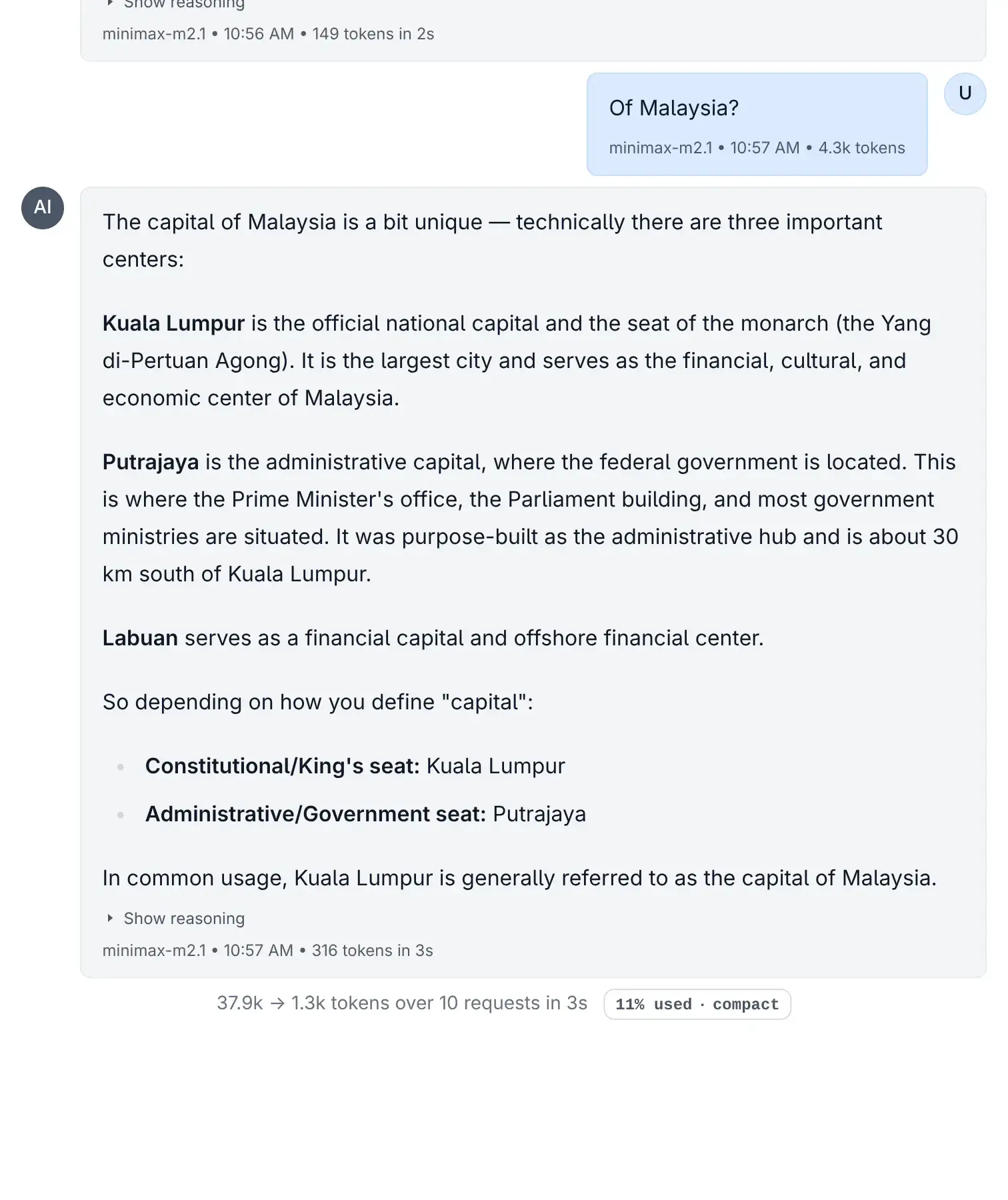
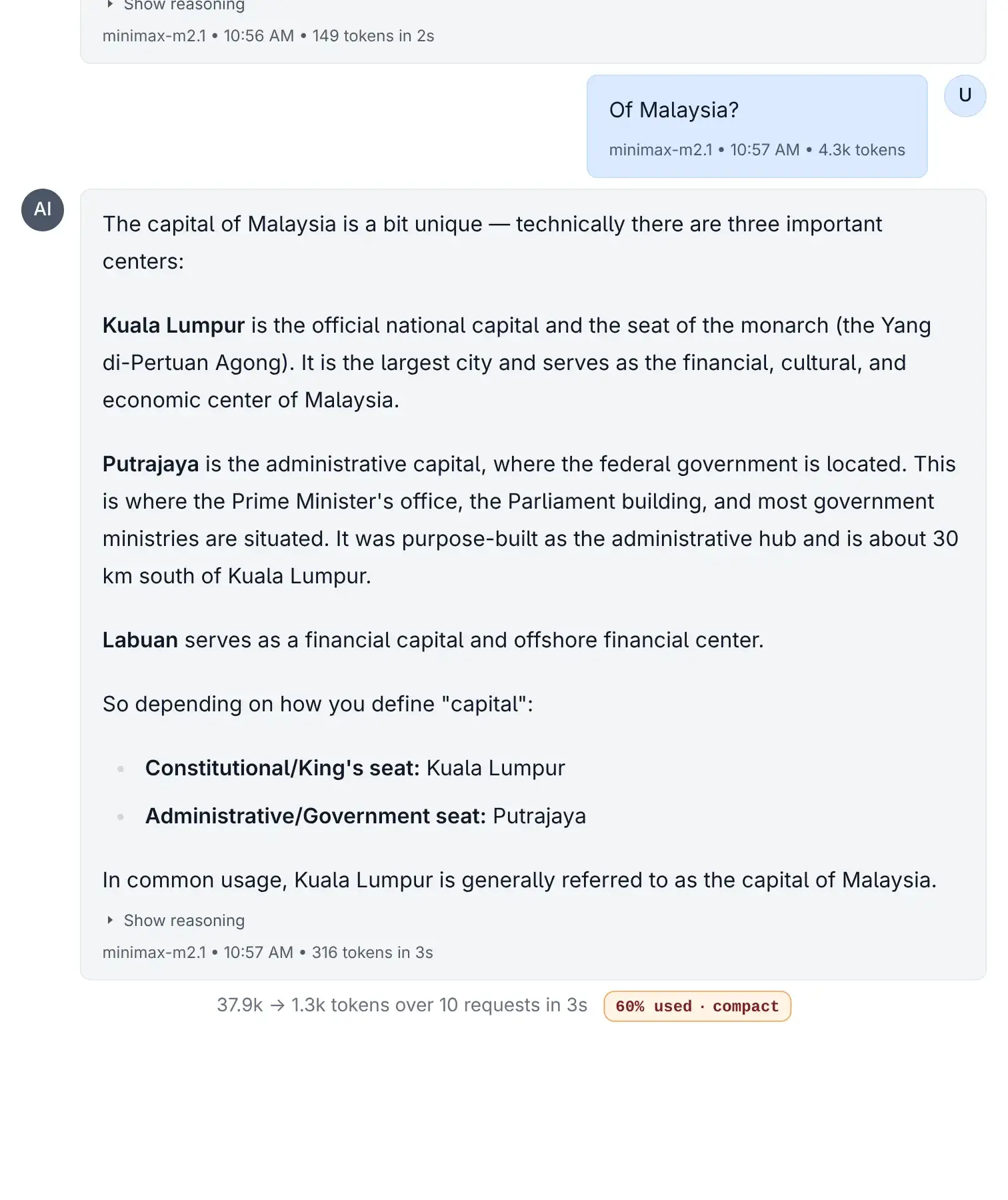
The Compact button appears automatically at the bottom of your thread when:
- The conversation has more than 10 messages.
- OR you have used more than 40% of the model's context limit.
Compact Button
Click to view full size
Compact Button Intensity
Click to view full size
What it does
When activated, the Compact feature:
- Analyzes your current conversation thread.
- Creates a new thread with a summarized version of the chat history.
- Preserves key information while discarding redundant or less important details.
- Targets a 30% size of the original context, giving you much more room to continue.
INFO
Benefits
- Save Costs: Reduces the number of tokens sent to the LLM, lowering the cost per request
- Extend Conversations: Frees up context window space, preventing you from hitting the model's hard limit
- Improve Focus: Helps AI focus on the current state of the conversation rather than getting distracted by old history
Customizing Compact Behavior
The Compact feature is fully customizable through your ~/.llms/llms.json configuration file. You can modify the AI model used, the system prompt, and the user message template to tailor the compaction process to your needs.
Configuration Location
Add a compact section to your ~/.llms/llms.json file under the default key:
{
    "compact": {
        "model": "Gemini 2.5 Flash Lite",
        "messages": [
            { "role": "system", "content": "Your system prompt here..." },
            { "role": "user", "content": "Your user message template here..." }
        ]
    }
}
Choosing a Model
You can specify any configured model for the compaction task. Fast, cost-effective models like Gemini 2.5 Flash Lite or Claude 3.5 Haiku are good choices since compaction is a straightforward summarization task.
Template Placeholders
The user message template supports the following placeholders that get replaced with the actual thread data:
| Placeholder | Description |
|---|---|
{message_count} | The total number of messages in the conversation being compacted |
{token_count} | The approximate token count of the original conversation |
{target_tokens} | The target token count for the compacted result (default: 30% of original) |
{messages_json} | The full conversation history as a JSON array of message objects |
Example User Message Template
Compact the following conversation while preserving all context needed to
continue it coherently. The conversation has {message_count} messages totaling
approximately {token_count} tokens. Target approximately {target_tokens} tokens.

<conversation>
{messages_json}
</conversation>

Return your response as a JSON object with a single "messages" key containing
the compacted array.
Customization Tips
- Adjust the target ratio: Modify the system prompt to request more or less aggressive compaction
- Preserve specific content: Add instructions to always keep certain types of information (code, URLs, decisions)
- Change the output format: Customize how the AI structures the compacted conversation
- Use specialized models: For technical conversations, you might prefer a model with stronger code understanding
🎭 Reasoning Support
Specialized rendering for reasoning models with thinking processes:
Shows:
- Thinking process (collapsed by default)
- Final response
- Clear separation between reasoning and output
📊 Token Metrics
See token usage for every message and conversation:
Displayed metrics:
- Per-message token count
- Thread total tokens
- Input vs output tokens
- Total cost
- Response time
✏️ Edit & Redo
Edit previous messages or retry with different parameters:
- Edit: Modify user messages and rerun
- Redo: Regenerate AI responses
- Hover over messages to see options